VV Email Setup For Windows PC -
Outlook 365 Setup - And Using SendGrid to send emails
Walk through the normal Outlook setup using the instructions here:
https://help.emailsrvr.com
Login to the address above using your VV email address and password.
Adding SendGrid to your Account in Outlook on Windows
Once you have Outlook setup and working using the instructions found at the website above, here is how to add your SendGrid account to your Outlook.
Step 1)
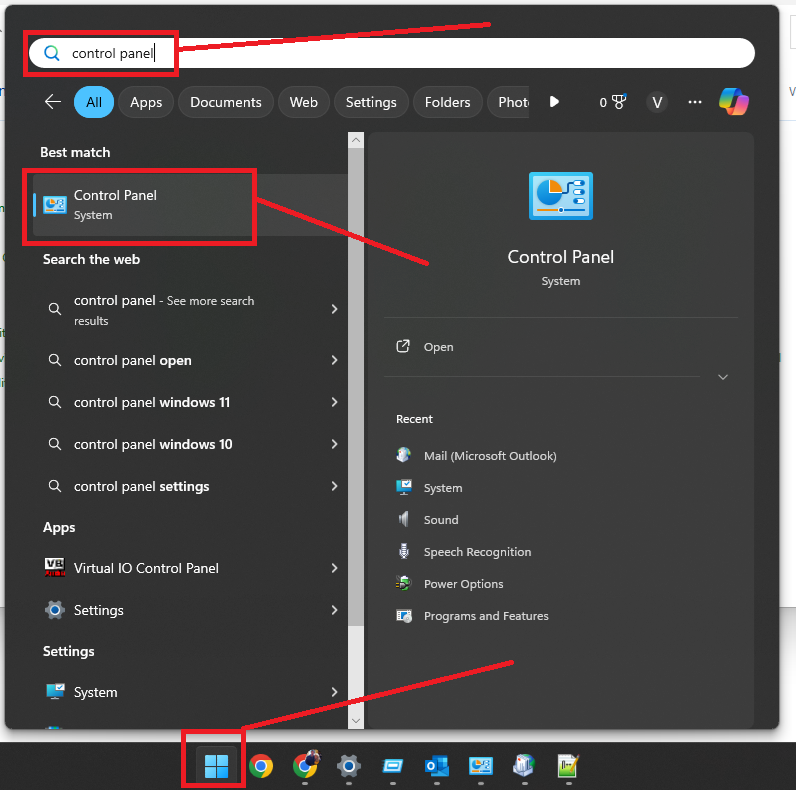
In Windows, in the taskbar at the bottom, click on the Windows button, then search for "Control Panel". Click to open the control panel.
Step 2)
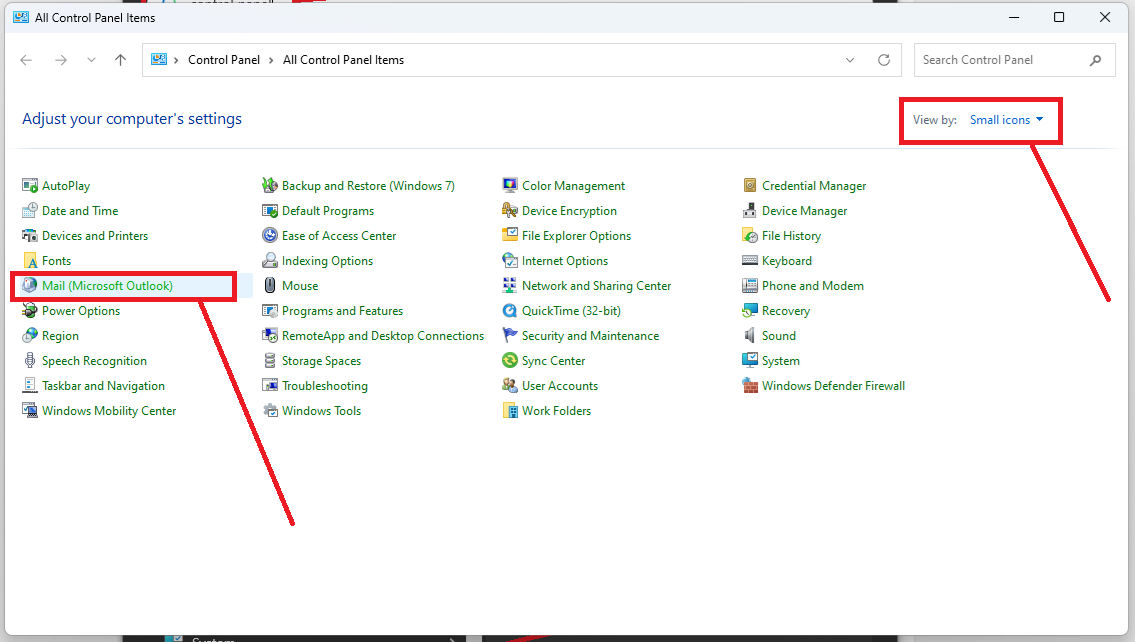
Click "view by" small icons
Then click "Mail (Microsoft Outlook)"
Step 3)
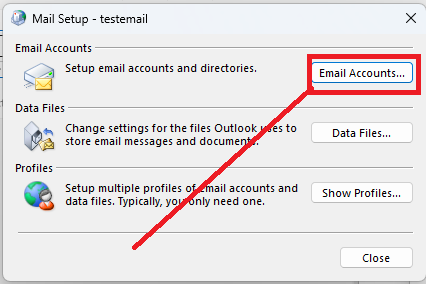
Click the "Email Accounts" button
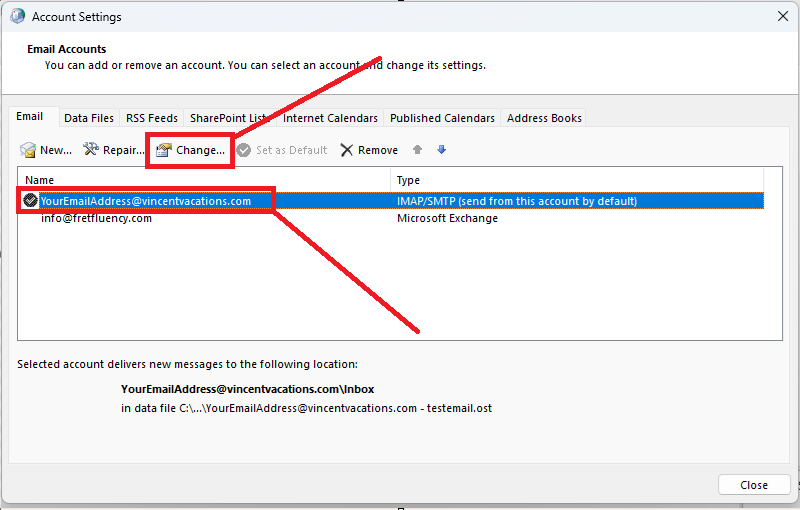
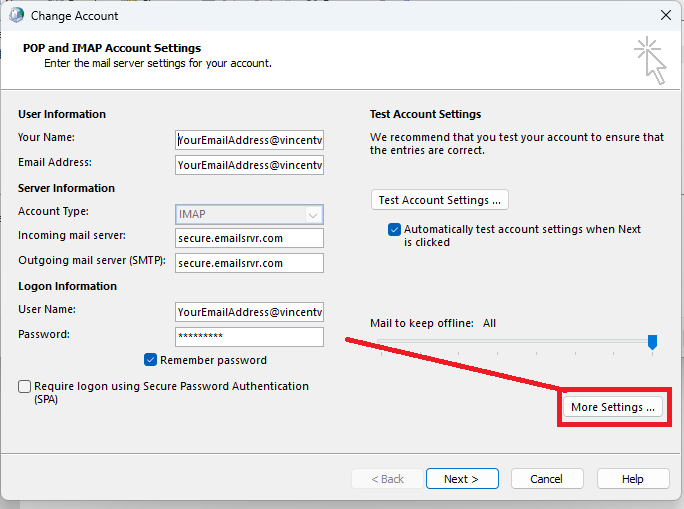
For this step you will use the following:
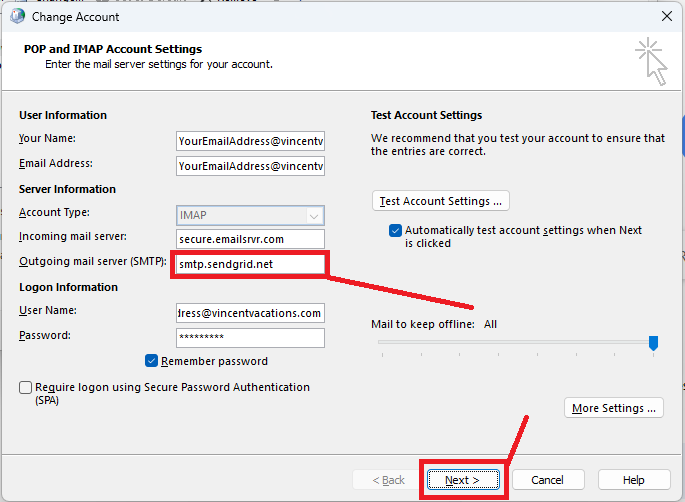
Username: apikey
For the password, click here to create a new one for your account:
Create new SendGrid PW
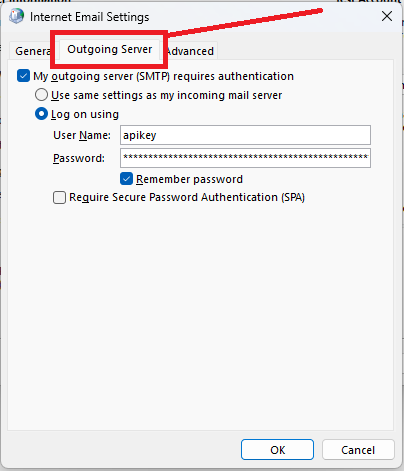
For the "SMTP Server" enter:
smtp.sendgrid.net
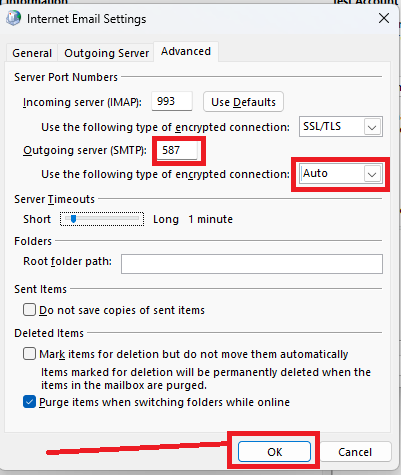
Make sure "587" is selected for the port.
Make sure "Secured connection using TLS" is selected: